D&D Character App

Introduction

Like many nerds my age, I played D&D back in the early 80s. I started with the Basic and Expert rules, playing with my brother and sister. Somebody had to be the Dungeon Master (DM) and that ended up being me because I liked systems of logical rules, enjoyed imaginative thinking, and was fascinated by this unusual game.

A year or two later we were still playing. I had gotten more into the game which meant moving up to the “Advanced” rules called AD&D, which became the original canon as the popularity of other rules faded away. I saved up my allowance and bought the “holy trinity” of rulebooks: the Players Handbook, Dungeon Masters Guide, and Monster Manual, which were published in the late 1970s. And I invited some friends to play. In 7th through 9th grade the school librarian let us use the private conference room during lunch, which we did at least a couple times per week.

This was before computers were in common use. My family had a TRS-80 which I used and learned to program, but most families did not have a computer and kids still wrote homework and essays by hand. We played D&D old-school with paper and pencil. One of the challenges was keeping track of characters with all their attributes, equipment, etc. which was constantly changing as they adventured. I always wanted to write software to track characters, but the complexity of the data and relationships made this difficult. Rainbow magazine published a variety of programs every month (given as code listings to be typed in!), which once included a D&D character app, but it was over-simplified and unable to handle all the aspects of a character.

Later when I learned relational databases I thought they would be ideal for storing D&D characters. Yet even then, the relationships would be difficult to model. It’s not only 1:M and M:M, but also hierarchical, and relationships that are conditional based on several other attributes, with plenty of exceptions.

In the 1990s I wrote an app in C++ that ran in OS/2 using Borland OWL. It was an exercise in learning OO programming and using several Design Patterns. But I only got this app about 90% complete, since my D&D gaming was already tapering off.

Fast forward a couple of decades to late 2008 and D&D play had faded from my life. It is time consuming (especially for DMs, which was always my role) and after college it got replaced by so many other things that were happening in life, and also with my friends – jobs, marriages, kids, travel, etc. Meanwhile, Java 1.5 had been released which included Generics, a major improvement to its data modeling, followed by 1.6 which had major performance improvements. In order to bone up on this new tech, I decided to finally write the D&D character app that I always wanted. And to use these capabilities to make it fully capture all aspects. I still had over 100 characters (as paper character sheets) from old campaigns and the test would be whether I could fully store them in the app, with all their details and quirks.

Precis: the App

The app is in my public GitHub, open source under the very permissive MIT license. Anyone can download, build and run it using any version of Java 1.6 or later, on any computer (Linux, Mac or Windows). The app GUI is Java Swing. This gives it a vintage 1990s look but makes it functional and easy to program. I found Swing to be well designed and better than other GUI systems I learned in the past, including Microsoft Windows programming (with all those WM_ messages), MFC and Borland OWL.

The app not only stores characters that you create, but also generates characters. Auto-generation creates the character essentials and leaves it to you to fill in details. These essentials are a moving target as I occasionally enhance the program, but include:

  • Ability scores (generated by rolling 4d6 for each and taking the 3 highest)
  • Auto-generating all ability score adjustments.
  • Choosing the best class based on ability scores.
  • Choosing race consistent with class.
  • Choosing alignment consistent with class.
  • Auto-generating all class & race abilities & languages.
  • Randomly assigning gender, name, height, weight, etc.
  • Auto-generating starting wealth based on class.
  • Equipping the character randomly yet based on class, including armor & weapons.

The app also prints characters using a simple 2-column format. It uses the Java print service which abstracts the printer and works on any printer, on any operating system.

Much of what the app does is based on data config text files. This includes ability score adjustments, saving throws by class and level, default equipment lists (for auto-generated characters), and spell usage by class and level. Thus, some of the app behavior can be changed simply by editing these text files.

App Usage Details

The app is self-explanatory, a simple UI of tabbed panels. Yet it has some capabilities that require explanation.

The GUI layout is dynamic. As you resize the app, GUI elements may shrink, grow or move. If you find layout errors (such as text fields that are truncated), this is usually a limitation of Java Swing dynamic layout and resizing the app fixes them (grab a window corner and drag it).
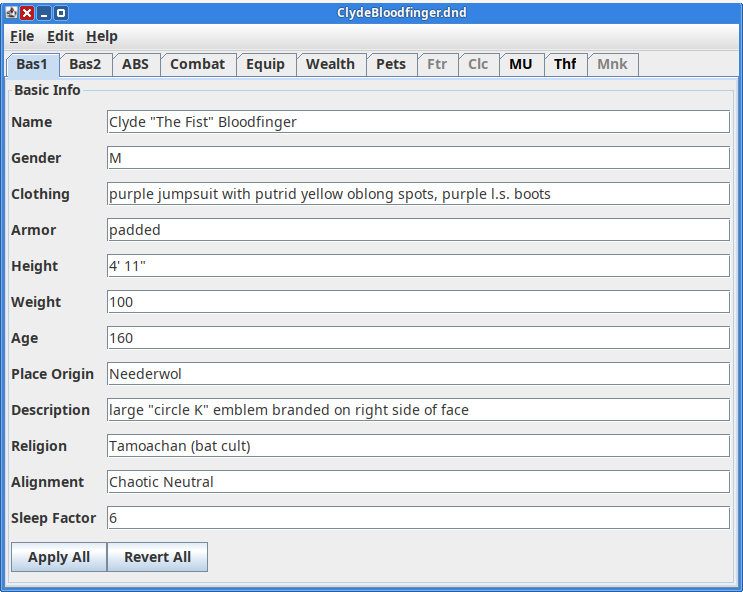
All entry fields accept strings. While any text is accepted, some fields (such as ability scores and hit points) expect integers. If they are not integers, the app will still function but it won’t be able to automatically set adjustments.

Command Line Parameters

A typical app invocation looks like this:

java -jar DnD.jar

This assumes that an appropriate version of Java is in the path and you are in the app’s bin directory which contains its config files.

All of the parameters below can be combined.

Font Size

Java Swing was originally designed 20 years ago when a 1600×1200 monitor was considered high resolution. Consequently, the font size and overall GUI may be too small for modern monitors. To accommodate this, the app has a command-line parameter to adjust the font size, which also adjusts the rest of the GUI.

For example, to adjust the font 2 points larger than normal:

java -jar DnD.jar -font +2
File to Open

If you want the app to open a character file when it starts, use the -file parameter:

java -jar DnD.jar -file CHARACTERFILE

Disk Format

The app stores characters on disk using a compact binary format. A typical 1-5 level character takes about 2 kB of storage – more for higher level and multi-classed characters, but there is no arbitrary limit to the size. The first data it writes is a storage version number, for future compatibility. If I ever change the data format, this will enable future versions of the app to recognize and load characters stored in older formats.

The app remembers the last directory used to save or load a character. This is convenient, since when loading a file you only have to navigate through directories once. This also applies when you load a character on app startup.

Apply / Revert

The app uses a Model-View design. The Apply and Revert buttons transfer data between the model and view. For example, if you change the character’s name, it doesn’t apply until you click the Apply button. If you click the Revert button, it restores the UI to the state of the model, which reverses all changes you made since you last clicked Apply.

Apply and Revert buttons have different scopes. On each panel they pertain only to that panel. To do this globally, use the app menu: Edit|Apply All, Edit|Revert All.

Lists are an exception to this behavior. Changes made to lists take effect immediately.

Red Buttons

Red buttons indicate actions that might change or override user-entered data. They are used to automatically set adjustments for ability scores and classes.

For example, suppose a character earns 750 XP on a campaign. Enter 750 into the XPoints field and click the red Add XP Points button. The app will add any XP bonuses (for example, 10% bonus makes it 825), add the XP to the character’s total, and if it bumps him up a level, the app will change the level and apply relevant adjustments (new hit points, saving throws, spells, powers, etc.).

Equipment

Character equipment is modeled using a Composite design pattern. It is a tree that can be nested to any depth, indicating which items are contained within other items. Moving, copying or deleting any item affects all other items it contains.

The GUI is a drag and drop panel. Any item can be dragged and dropped anywhere else. This can also be used to reorder items at any level. The item and everything it contains comes with it. If you hold down the CTRL key while dragging, it makes a copy instead of moving it.

Class Info

The app has a panel for each of the 5 basic classes: Fighter, Cleric, Magic User, Thief, Monk. Each panel has a checkbox indicating whether it applies to the character. If it is not checked, the tab for the panel is greyed out (yet not disabled, so you can still click it). If a character already has a certain class, toggling the checkbox to disable does not delete it, but only flags it. If you disable it by mistake, simply check it again to enable it and no data will be lost – so long as you didn’t save the character or make other changes while it was disabled.

Class data starts as a zero-level placeholder. It does not become real until you set the level to some value 1 or more. Data for placeholder classes is not saved or printed, so if you enable a class for a character but you don’t set the level, that class data will not be saved or printed.

Each class has a name, which by default is the name of the Java class used to model it. You can (optionally) set this name to anything you want. If the name you use happens to be a subclass of that class, this subclass will be used in the data model. Subclass names include:

  • Ranger (subclass of Fighter)
  • Paladin (subclass of Fighter)
  • Druid (subclass of Cleric)
  • Illusionist (and MagicUser are both subclasses of MUBase)
  • Assassin (not yet implemented)

With these subclasses, the model handles a total of 9 character classes – and various combinations. Multiple class tabs can be enabled and each operates independently. For example, Fighter-MagicUser or Thief-Illusionist. However, each character can have only one of each base class, so Fighter-Ranger or Cleric-Druid is not possible (nor would it make sense).

When you give your own user-defined name for a class, your name does not have to match any of these. In this case the base class is used. For example, you could name a Cleric as “Shaman” and it would be modeled as a Cleric.

When first adding a class to a character:

  • Click on the class tab
  • Click the Enabled checkbox
  • Enter a name (optional – if you want a subclass or custom name)
  • Click the Reset/Init button (needed only if you are using a custom name)
  • Enter a level of 1 or more
    • Unless you are creating a multi-class character, in which case see below
  • Click the Level button

When you take that last step, if the level you entered is different from what was there before, it will change data on this tab, as well as on other tabs. For example, it will assign hit points and saving throws which you will see on the Combat tab. These changes apply directly to the model and cannot be reverted (which is why the buttons labels are red).

Multi-Class Characters

Multi-class characters are supported, including auto-generation of hit points and save throws. To create a multi-class character:

  • For each class tab:
    • Click on the tab
    • Click the Enabled checkbox
    • Optional: enter a custom name and click the Reset/Init button
  • After all classes have been enabled, apply all (menu Edit|Apply All)
  • Visit each class tab
    • Enter a level of 1 or more
    • Click the Level button

Hit points for multi-class characters are computed as follows: for each class, for each level, determine the hit points, add any constitution bonuses, then divide by the total number of classes. Round this number to the nearest integer (it may go up or down, depending on the fraction).

Each save throw for a multi-class character is the best (lowest) across all classes (per level of each individual class) for that category.

Class Abilities

Every class has certain abilities, which are stored in this list in the upper left of the panel. Some may be auto-generated by the app, others may be user-defined. The prefix “AG: ” (for auto-generated) is used to differentiate them. Any item that has this prefix is auto-generated. The app may remove or change it. Yet when the app manipulates this list, it ignores all items not having this prefix. This way, the app preserves any user-defined items in the list.

Spell Use

The app tracks how many spells can be cast daily by class and level. For Clerics and Druids, it also applies Wisdom bonuses. The casting of spells is different from the availability of spells. Clerics may pray or meditate for more spells than they can cast each day, and Magic Users and Illusionists may memorize more spells than they can cast.

The casting of spells is stored in the upper Class Abilities list and the app automatically sets it.

The availability of spells is stored in the lower Spells list left for users to define.

The app configures spell use based on the class name and reverts to the default. For example, suppose the character has Cleric enabled yet named “Shaman”. The app doesn’t have a spell use config for that name, but the class is of type Cleric, so it will default to Cleric spell usage. The user can override default spell usage in the app (don’t use the AG: prefix), or he can create a data file called spells.Shaman.dat to define how he wants Shaman spells to be allocated by level. If this file exists, the app will use it to allocate spell usage for Shamans.

Paladins and Rangers gain spells only at higher levels (8th and above). Because Rangers gain two kinds of spells, Druid and MagicUser, they have 2 config files: spells.Ranger.Druid.dat and spells.Ranger.MagicUser.dat.

Printing

To print a character, use File|Print from the menu. A print dialog will appear, showing all available printers (both local and network). I recommend setting all 4 margins to 0.25 inch before printing.

Caveats and Limitations

Assassins are not handled. They have been rare in my games (at least as player characters) so I deferred them to last and haven’t gotten around to it.

Paladins have some Cleric abilities that aren’t included in the special abilities. For example starting at level 3 they are able to turn the undead. To handle this, when a Paladin reaches 3rd level, enable the Cleric tab and set it to 1st level. This will auto-assign the turn probabilities. Delete the auto-generated spell usage on the Cleric tab and leave the spell availability list blank. At 9th level and above, spell usage will appear in the Paladin special abilities. For spell availability, use the Spells list on the Cleric tab.

Rangers gain both Cleric and Magic User spells at 8th and 9th level respectively. Their spell usage will appear automatically under Ranger special abilities. When this happens (at the appropriate level), enable the Cleric and MagicUser tabs to track spell usage. Leave the levels set to 1 and delete the auto-generated spell usage on these tabs.

Note that having more than 1 class enabled will enable multi-class computation of save throws and hit points. The save throws should be correct for high level Paladins and Rangers having low level Cleric and MagicUser enabled, because each is the best across all classes by level. But having the Cleric (and possibly MagicUser) classes enabled will generate hit points as if this were a multi-classed character, which will be incorrect. So before any level changes, record the hit points, then make the level changes, then override the auto-generated hit points.
English can be Funny

Semantics of the Comma

In many cases commas are optional with rules like the Oxford comma that attempt to bring consistency to the ambiguity. Yet there are cases where commas change the meaning of the sentence. For example, consider removing the comma from the following sentence:

“Let’s eat, Grandma!”

Conjunctions and Adjectives

The word “only” can function as a conjunction or as an adjective. Here’s a game you can play: place the word “only” anywhere in this sentence and see how it changes the meaning:

She told the Paladin that she kills Goblins.

Fixing the Oven

The oven in our house is a Jenn-Air model JJW 3830 about 5 years old with a touch screen interface. It recent showed an error: “F2E0 Keypad disconnected. Error enumeration 0x9.” The oven stopped working and said it needed service. It seems that modern appliances have so much delicate electronics they have become less reliable and serviceable.

I looked it up and this thing costs $7,200 ?!?! WTH !?! I couldn’t believe my eyes !?!? For that price, there is no way I’m replacing this thing before I at least try to fix it.

Before diving into the repair I did a little research. A web search on this revealed that the error message indicates a failing panel control and heat damage is common. They last 3-5 years until this problem happens. You can get a replacement board for about $800 (parts only – even more if you want Jenn Air to fix it for you) but after a while it will fail again due to heat damage.

Disassembly

After throwing the oven’s dual-pole 40 amp breaker I pulled it out from the wall with the goal of disconnecting and removing the top horizontal display controller. It turns out this was easy to do. A total of 6 screws on the unit, then unplugging 3 wires, and it was sitting on my counter. I’ll call this the “control box”. That wasn’t bad at all, a pleasant surprise, +1 for serviceability.

The safety shutoff thermistor measured 0 ohms, so it wasn’t blown. The root cause lay elsewhere.

When removing the control box, I noticed a vent for hot/moist oven air that exhausts out the front, left side, above the oven door and below the control box. The control box had been installed incorrectly with the vent inside its bottom edge. Instead of venting out below the control box, it vented directly into the control box! All that hot moist air was venting directly onto the circuit board. Ouch!

I don’t know whether this error was from the factory or from the installer – depends on how the oven is shipped and what assembly is done on site. Either way, it’s a serious mistake and an obvious root cause to the problem.

Cleaning

The circuit board was slightly heat discolored brown right where the exhaust vent hit it. Obvious heat damage, and no visible corrosion but all that moisture didn’t help it. But not melted or blown, and maybe fixable. I unplugged all the connectors on the board, sprayed them with electric contact cleaner, wiped them dry, plugged and unplugged them a few times to scrape off any light corrosion, made sure everything was clean.

Hopefully, this unplugging and cleaning would clear any corrosion that the vent caused and trigger the oven’s logic to reset itself and start working again.

Robustifying

Routing the exhaust vent properly should fix the problem. Yet despite its ridiculous price, where one might expect “price is no object” design, this oven does not have sufficient heat shielding inside between hot vents and its circuit boards. Since the control box board was already compromised, I wanted to ensure it was better protected from further heat damage.

Even when properly routed, the host moist air of the exhaust vents just below the control box. That’s better than venting directly into it, but even so, it will still get the control box toasty warm when the oven is on. Not the best design.

I bought a sheet of heat shielding that consists of a thick yet flexible aluminum reflecting surface with about 1/4″ thick fiberglass insulation glued to one side. It’s made to wrap car exhausts and protect nearby surfaces from the heat. I cut it to shape with tin snips (the kind made to cut aluminum roof gutters). I installed this shielding in two places:

  • Inside the oven, laying flat just above the exhaust vent to protect the circuit board directly above it. This sheet was about 10″ x 9″.
  • Inside the control box, along its inside bottom edge below the circuit board to protect it from the hot vent below. This sheet was about 2″ x 8″.

Note: remember to use PPE like a mask and gloves when cutting & handling fiberglass.

Conclusion

After reassembling, the oven started up and works fine. No more error messages, both top & bottom ovens work. Only time will tell whether this is a permanent fix, but I’ve at least addressed a known design deficiency and postponed a crazy expensive and premature replacement.

Room Response: Nulls and Distortion

When measuring equipment it’s important to understand some relationships between frequency response and distortion. This helps interpret results correctly and not go chasing ghosts.

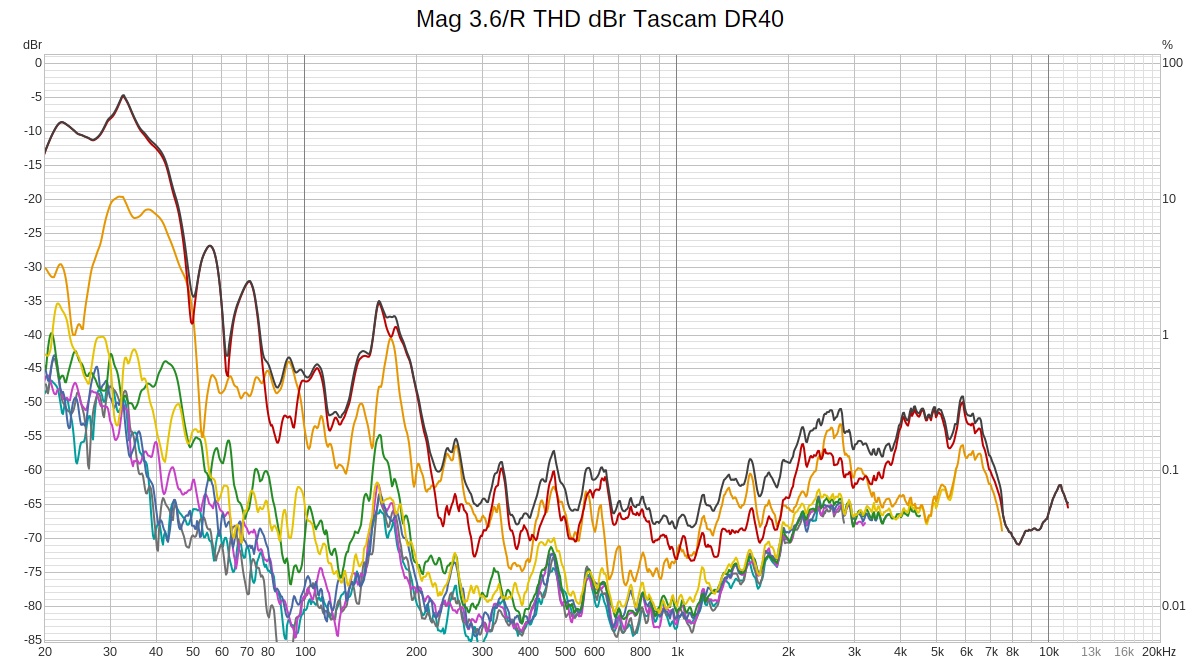
Here is the distortion from my Magnepan 3.6/R speakers measured from the listener position using REW, and a Tascam DR40 recorder:

Overall it’s excellent for an in-room loudspeaker measurement. Distortion is below -40 dB (1%) above 60 Hz, drops to -50 dB (0.3%) by 200 Hz, and ranges from -50 to -60 dB (0.3 – 0.1%) in the mids & treble where our hearing is most sensitive to it. This is less distortion than most quality headphones. And it’s actually even lower than this because it includes the room’s ambient noise and distortion from the Tascam DR40 built-in mics.

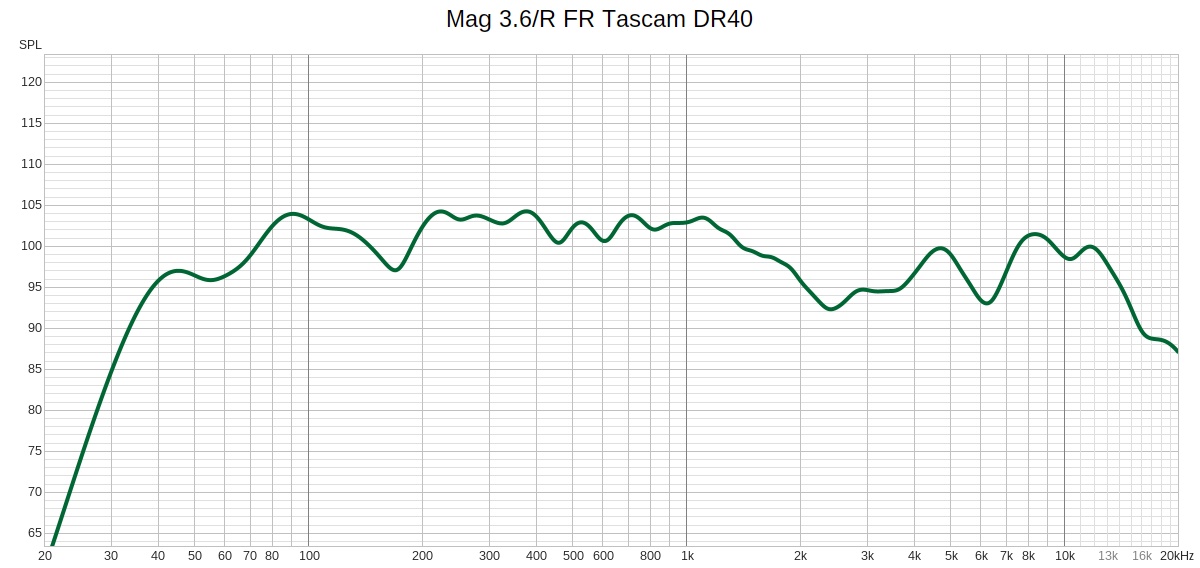
However look at that big distortion bump around 170 Hz. What’s going on there? The short answer is nothing – it is a measurement error. To see this, look at the frequency response:

See that dip at 170 Hz? It’s caused by a null. Its wavelength matches twice the distance from the speakers to the front wall. With dipoles, the back radiation is inverted polarity from the front, so its cancels at that frequency, creating a null. Note that this null exactly matches the frequency where the distortion graph bumps. That’s no coincidence!

When REW runs the frequency sweep, the response picked up by the microphone dips at 170 Hz. Distortion is the ratio of higher frequencies to the fundamental, and when the fundamental drops, that ratio jumps even if the higher frequencies (distortion) remains constant.

On a similar vein, the graphs show small distortion bumps at 450 and 600 Hz, corresponding to frequency responds dips at the same places.

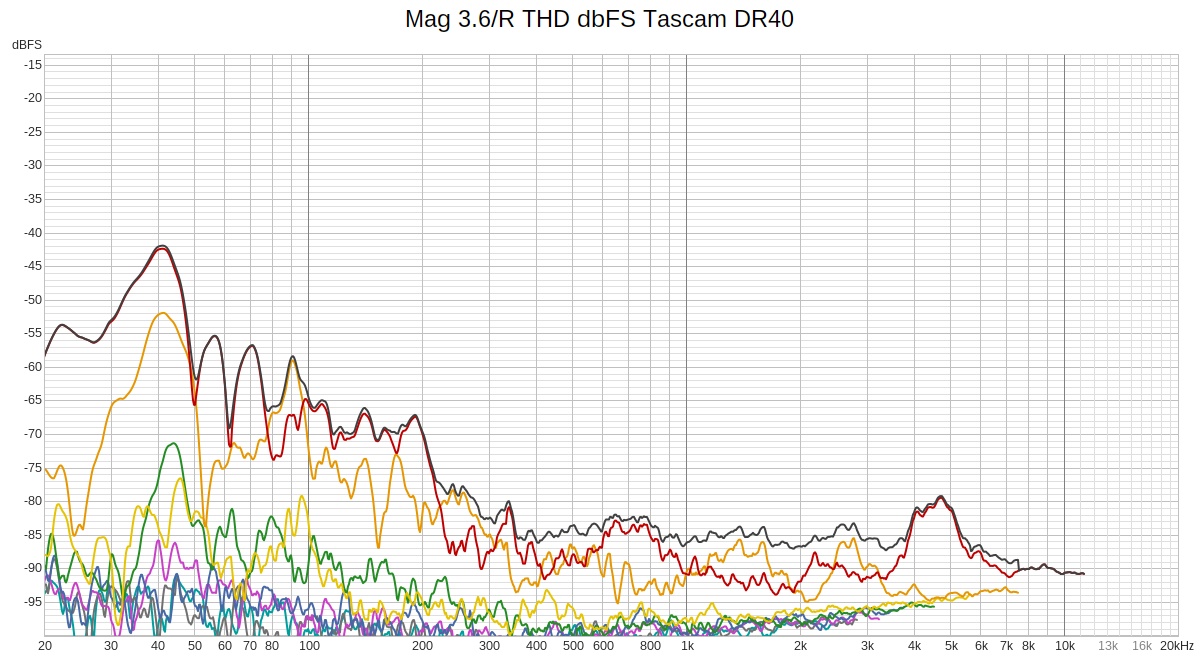
A closer look reveals more subtle effects of the same cause. If the response dips at 170 Hz, then any 2nd harmonic from half that frequency won’t get picked up either, so that frequency will show a dip in 2nd harmonic. This explains the dip in the red line (2nd harmonic) at 85 Hz. Same with 3rd harmonic, and we see a dip in the orange line (3rd harmonic) at 57 Hz.

To confirm, here’s that same distortion graph shown as dbFS: absolute level instead of relative to the fundamental:

The scale shifted about 20 dB down but the shape of the curve is the key point.

Pretty cool, huh?

Coffee Emergency

My 6 year old Delonghi ESAM330 failed me this morning. When the coffee machine breaks it’s a household emergency requiring immediate attention.

The symptom: when it turned on, the pump was working but water would not come out of the coffee dispenser nozzles, nor out of the water/steam nozzle. But water did flow into the drip pan.

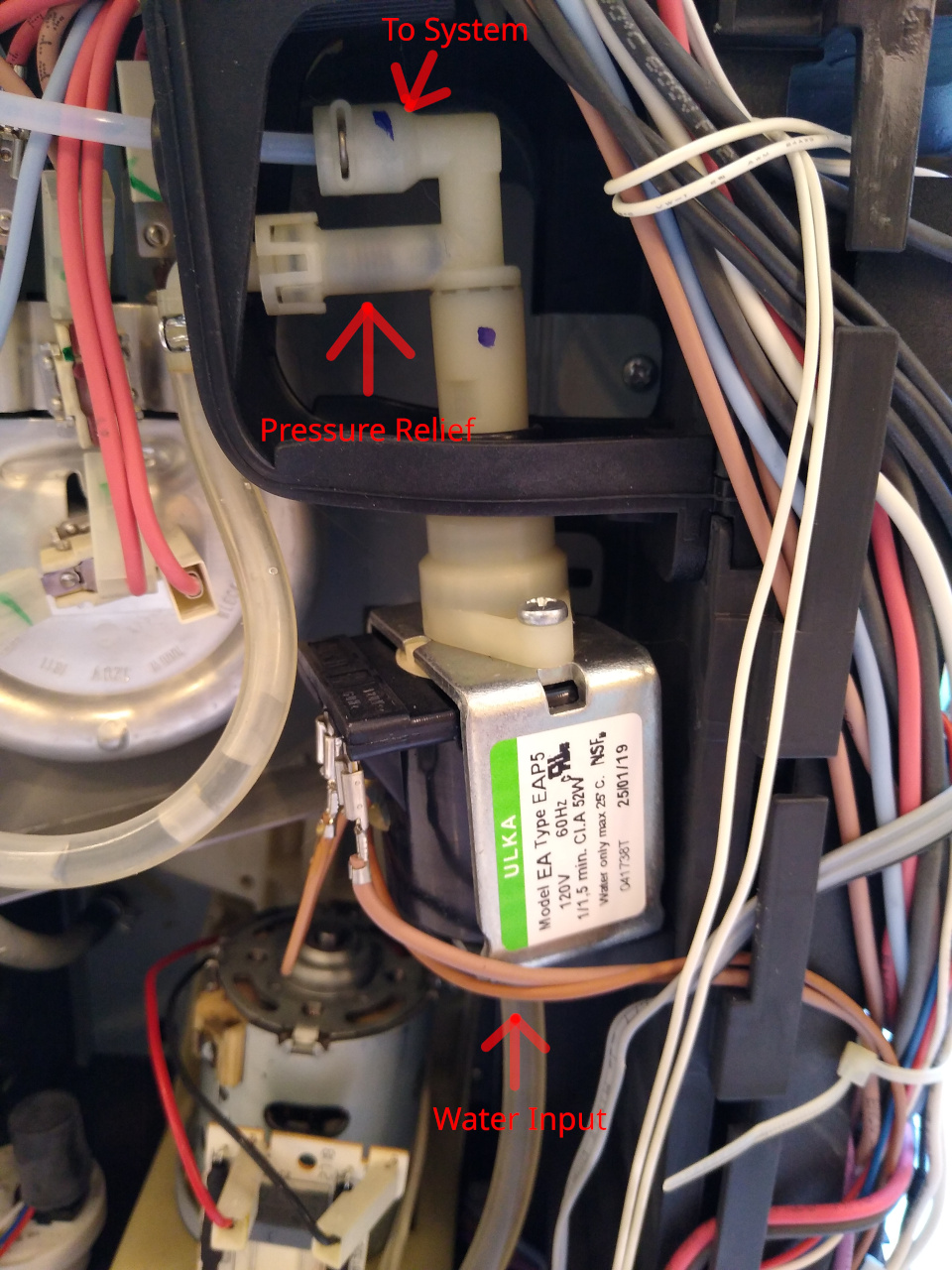
The root cause: the high pressure side of the pump has 2 pipes. One goes to the system, the other is a high pressure safety bypass that works similar to the oil pressure relief valve in many cars. It has a spring pushing on a valve seat. If the system pressure gets too high (for example a pipe is clogged), the pressure works against the spring to open the valve and allow water to drain into the drip tray.

A picture’s worth 1,000 words:

You can see the spring inside the pressure relief line pushing to the right, on a little piston having a rubber seat on its face that blocks the high pressure port. That piston got stuck and wasn’t pushing against the valve, so the pressure relief valve was always open.

I removed the entire pump from the ESAM3300, then removed the large vertical white tube assembly that passes through the metal section, then removed the 2 valves at the top (the top double-U section unscrews from the rest of the white plastic). I removed the o-rings, disassembled the part including the spring and piston and soaked all the parts in 30% vinegar. Then rinsed them off, blasted out the lines with water and air pressure, applied Trident silicone grease (food grade, the same stuff I used to service SCUBA regulators) to the o-rings and seals, and reassembled everything.

When I turned it on and did a function test, the pump made a horrible metallic clacking sound. Oops! Looks like the pump must be primed. I filled a syringe with water and inserted it into the water input hose to the pump. I applied pressure to the syringe plunger until the line was pressurized, then turned on the ESAM3300. As the pump actuated, the line pressure I was applying with the syringe primed it.

It’s working like new again. Coffee emergency resolved!

Goodbye Evernote, Hello Obsidian

Summary

I’ve been an Evernote subscriber and daily user for the past 14 years. I recently switched to Obsidian. Key reasons:

  • Obsidian has native clients on all platforms: Windows, Mac, Linux, Android and iOS, while Evernote doesn’t support Linux.
  • The Obsidian clients are lightweight and fast, while the Evernote client is bloated and slow.
  • Obsidian stores your notes in text markup, using filesystem files & folders, while Evernote uses an opaque proprietary format and stores it on their servers.
  • Obsidian enables you to organize your notes into folders with no arbitrary limits to nesting depth or complexity, while Evernote limits you to a 2-level hierarchy of Stacks and Notebooks.
  • Obsidian enables you to store your notes anywhere you want on your device (even SD cards on Android devices), while Evernote stores it internally.
  • Obsidian cleanly separates the function of syncing data across devices, giving you several different options. Evernote’s syncing is built-in and proprietary.
  • Obsidian is free unless you want enterprise support or to use their data sync.

I had been using Evernote for so long, and had so much data in their system, I thought I was stuck with them for life. I dreaded switching tools because the effort of doing so seemed intimidating and risky. I am willing to pay for software and services, if they solve an important problem for me, I use them frequently, and they work well. But Evernote started failing on that last point.

The end state is that it took me 2 days to make the switch. This includes exporting all my data from Evernote, preserving its structure (stacks, notebooks, tags), getting into all my devices, running Obsidian clients on each device, synchronizing the data, and testing the system.

Part 1: Why Switch?

For the first few years Evernote was great. The only thing I didn’t like is they didn’t have a Linux client. I found the open source Nixnote2 project and even contributed some features to it in 2017. I used this for a few years until Evernote released their own Linux client, at which point I joined their beta program and started using it. It worked well and note taking life was good!

Later, Evernote not only stopped supporting their Linux client but also disabled it. And Nixnote2 didn’t work as well as it did before, due to changes Evernote made to their APIs. So I was stuck with using Evernote only in the browser. It worked OK, but not as nice as the desktop client.

Meanwhile, the Evernote Android clients were getting progressively bloated and slow with every release. Touch the app to start it, and wait up to a full minute before it’s usable. And even then it’s painfully slow. Almost unusable.

Also, Evernote was prone to sync errors when you work on more than 1 device. Edit a note and later a duplicate copy shows up because some other device hadn’t stored its changes, one got stale, Evernote couldn’t merge them so that is up to you to do manually. Ugh.

Finally, Evernote jacked up their prices, more than doubling the price of a basic personal subscription and limiting its functionality in an attempt to up-sell.

At this point my annual subscription was a few weeks away from renewing so I decided to check out alternatives.

Part 2: Pick an Alternative

There are many options for note takers. My most important requirements are support for Linux, data sync across devices, and lightweight fast clients. Also important to me is using accessible data formats and control over my data – where it resides, how I sync, etc. Last is price. Free is nice and I don’t mind setting things up on my own. But I’m willing to pay if necessary and it gives benefits worth the cost.

Obsidian met all these requirements so I gave it a whirl. My plan was to get it working and use it for a few weeks before I had to decide whether to renew Evernote.

Part 3: Setting up Obsidian

I found several great walk-throughs online about all of this, available to everyone, so I’m only going to outline the steps I followed and add a few tips.

Step 1: Export your Evernote Data

I used Evernote-Backup from GitHub. I installed and ran it inside a Python virtualenv just to be clean and safe.

This connects to the Evernote API to extract all your data, stores it in a local SQLite3 database, and exports ENEX files from that database. It preserves your Evernote stacks & folders too.

Note: the –single-notes flag is a bit confusing. It extracts each notebook to a separate file and it stores the files in folders representing their structure in Evernote. So far, so good. But when you import this into Obsidian, it ignores the directory structure, the stacks & notebooks are ignored, and all your notes appear in one big flat directory. Ugh!

The default behavior (without the –single-notes flag) creates an ENEX file for each notebook. Within each file are XML elements marking the individual notes it contains. This means it creates fewer files, yet larger ones. When you import this into Obsidian, it recreates the notebook structure and it also breaks the individual notes into separate .MD files. This is what I wanted!

At this point all my Evernote data was imported into Obsidian, preserving the folders. And I could also browse it in the filesystem. Any changes I made on one side (Obsidian or filesystem) appeared nearly instantly in the other. Very nice!

Step 2: Set up Sync

Next you need to decide how you want to synchronize your data across devices. You have several options:

  • Obsidian Sync: built-in, seamless, but opaque, and costs $10 / month.
  • Google Drive (DropBox, Box, etc.): copy your entire Obsidian data (directory tree) to the cloud storage system of your choice, and use the apps of your choice to synchronize it across your devices.
  • Git: copy your Obsidian data to GitHub/GitLab and use the apps of your choice to clone, push, branch, etc. across your devices.
  • Local: use Syncthing to sync devices on a local network.

All of these options are described in detail with tutorials you can find online. I chose Google Drive and it works nicely. My preferred sync apps:

FolderSync Pro is a great app that is highly configurable. The setup I’m using for Obsidian is a 2-way sync, including deletes and hidden files, scheduled daily, with instant sync of local changes on the mobile device. Using MD5 checksums makes the sync more efficient (both FolderSync and Google Drive support them).

Yet I have found that OverGrive is smarter & faster than FolderSync. For example if I move a directory, OverGrive handles it with a single operation – fast and efficient. Foldersync Pro handles it by downloading all the files in the new location and deleting them from the old location – much slower!

Update: Out with Google Drive!

The Problem

After a month of note-taking across 4 devices, a bunch of spurious files started appearing in Google Drive. After some testing I discovered what is going on, though I don’t know why. Here’s a simple example:

Suppose you have 2 devices, A and B. Your notes are in the cloud C. That makes 3 versions of your notes: C is the master with complete copies residing on A and B.

We start with A, B and C being identical. Now you edit a note N on device A, which uploads N to C. This should update and replace file N on C, but instead Google Drive creates a new file called “N (1)”. This downloads to device B as a new file.

Now if you edit note N on device B, you won’t see the changes made from A because they’re in a different file “N (1)”. If you don’t notice that N is out of date and you change it, device B uploads N to C and Google Drive duplicates the file again, to “N (2)”.

Now note N is split across 3 files, each having different changes that you need to manually merge and delete the duplicates.

The Solution

There is no solution. This behavior is built into Google Drive and cannot be changed. It’s been repeatedly reported as bug but they haven’t fixed it and never will.

Fortunately, we have several choices for cloud storage. I stopped using Google Drive and switched to S3.

In with Amazon S3

Obsidian has a community plug-in called Remotely Save. It is a free, open source GitHub project. Well, not entirely free. Most of its capabilities are free but it has extended capabilities if you pay for it. Fortunately, its basic free capabilities include bidirectional sync to a variety of cloud storage providers.

Using S3 to store Obsidian notes is a bit more complex to set up than consumer services like Google Drive or Dropbox. With S3 you need an AWS account, you need to create S3 buckets, set their security, create IAM users, etc. This is the kind of basic cloud stuff software engineers do every day, but normal people might find it confusing.

I did all that and it’s all working in S3 across 4 devices (desktop, laptop, phone, tablet). So far, so good!

This solution has the added benefit of relying on an Obsidian plug-in, which works seamlessly within Obsidian on all my devices, so I don’t need other software like OverGrive or FolderSync to do the job.

Conclusion

Obsidian is a better note taking experience than Evernote. Sync is the part of Obsidian that you must figure out on your own. Amazon S3 works well for me and the activity costs about 12 cents per month on my AWS bill. That’s pretty cheap considering I am a daily active user syncing across 4 devices.

Obsidian notes are in .MD format so I can read and write them with pretty much any app outside Obsidian if I want to. I can organize my notes (move folders around, etc.) from within Obsidian, or in a file manager, or at the command line, whatever tool is best for the task. And I have more confidence in my data, since I have total control over where it’s stored and how I back it up.

John Wayne / Palouse Trail

Summary

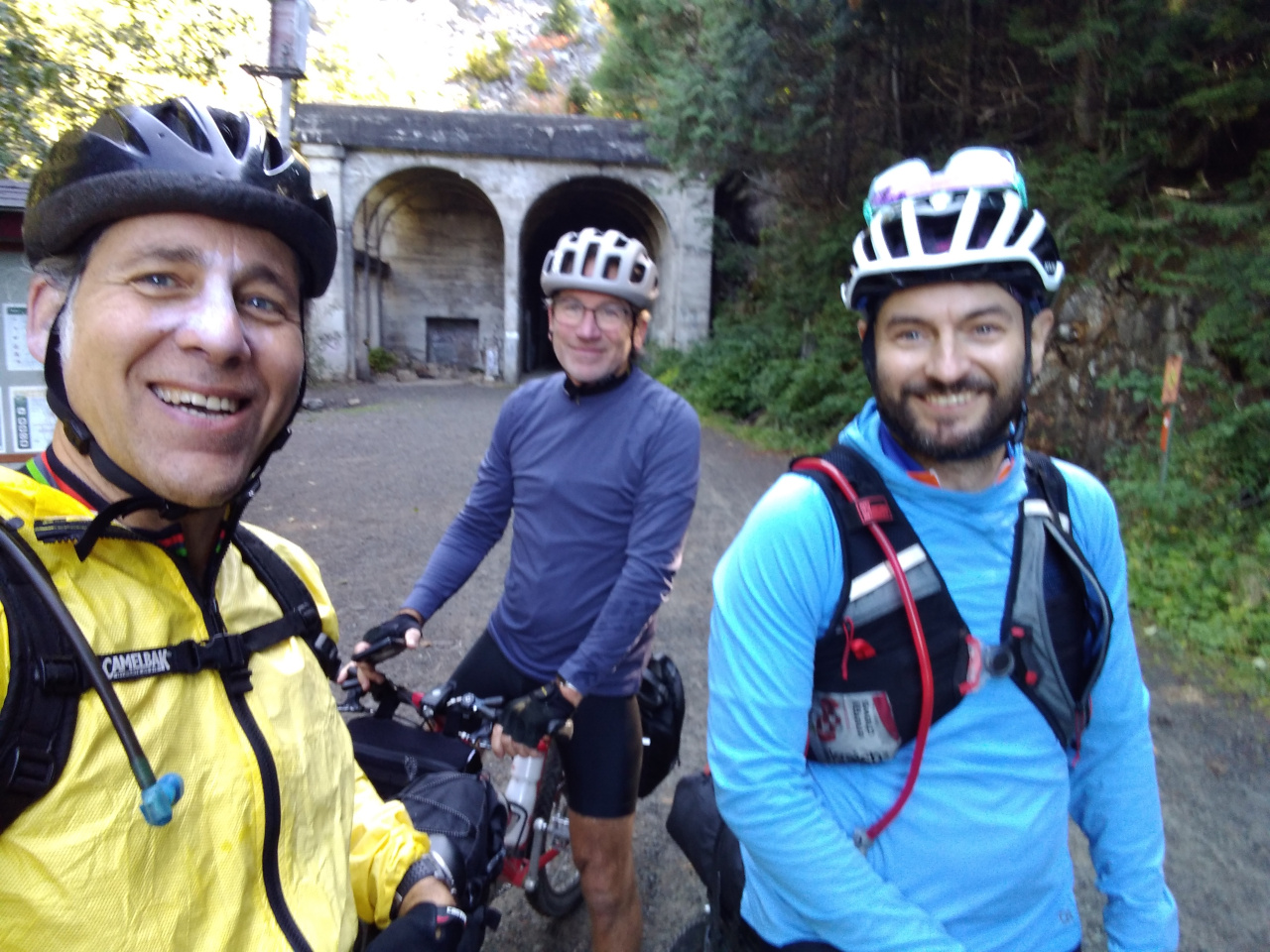
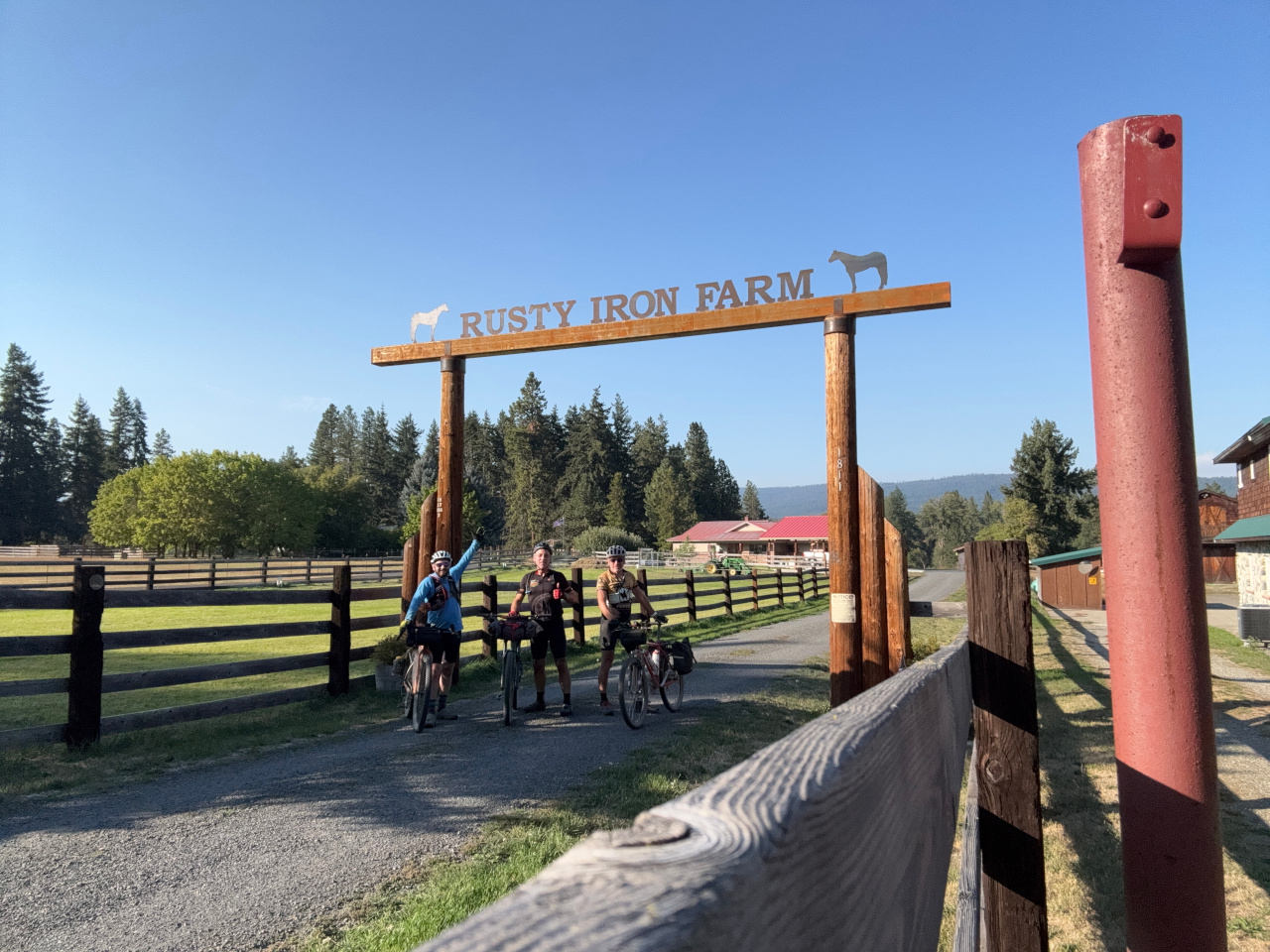
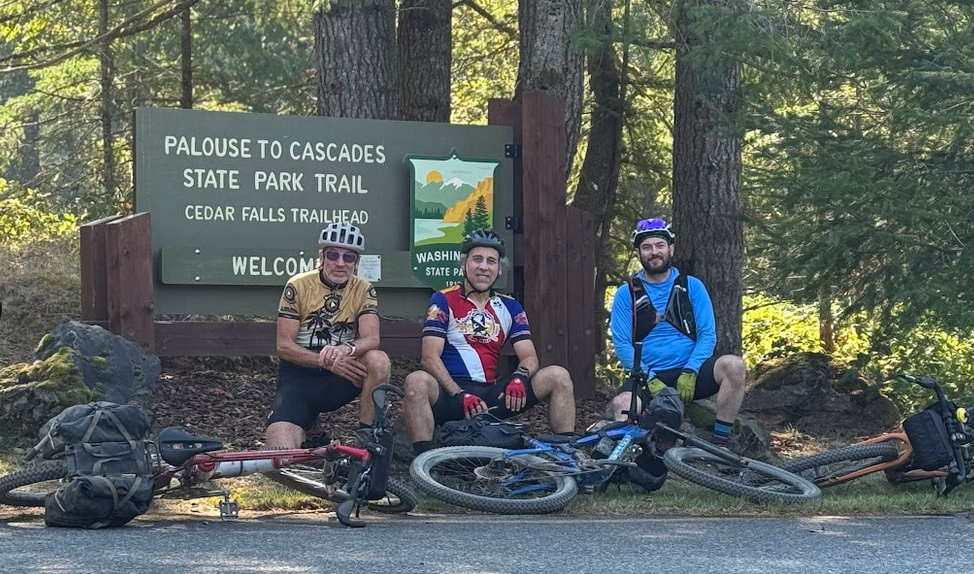
The Iron Horse / John Wayne / Palouse Trail is an old railroad line that runs across WA state into Idaho. I’ve been planning to ride it for years yet one thing or another always got in the way. From Sep 19 through 23 I finally rode it from N Bend to Othello and back with Andy and Brandon.

People who ride this trail usually go one-way the entire length to Idaho. We did it differently for a few reasons:

  • Accommodations: east of Othello there is no lodging, and food and water become scarce. We wanted to stay in motels each night in order to get a shower, a big meal, sleep in a bed. And pack lighter, not having to carry tents, sleeping bags, and extra food and water.
  • Logistics: a one-way trip lands you in Tekoa at the Idaho border, a town of less than 1,000 people having no lodging. You have no car, are nowhere near any major airport, and must find a way back to Seattle. An out and back trip makes for simpler planning.
  • Trail conditions: east of Othello, portions of the trail are closed requiring detours.
  • Geography and scenery: desert conditions start west of Othello and continue east to the Idaho border. Once you reach Othello you’ve already seen all the geography and scenery there is to see: mountains, forests, rivers, desert.

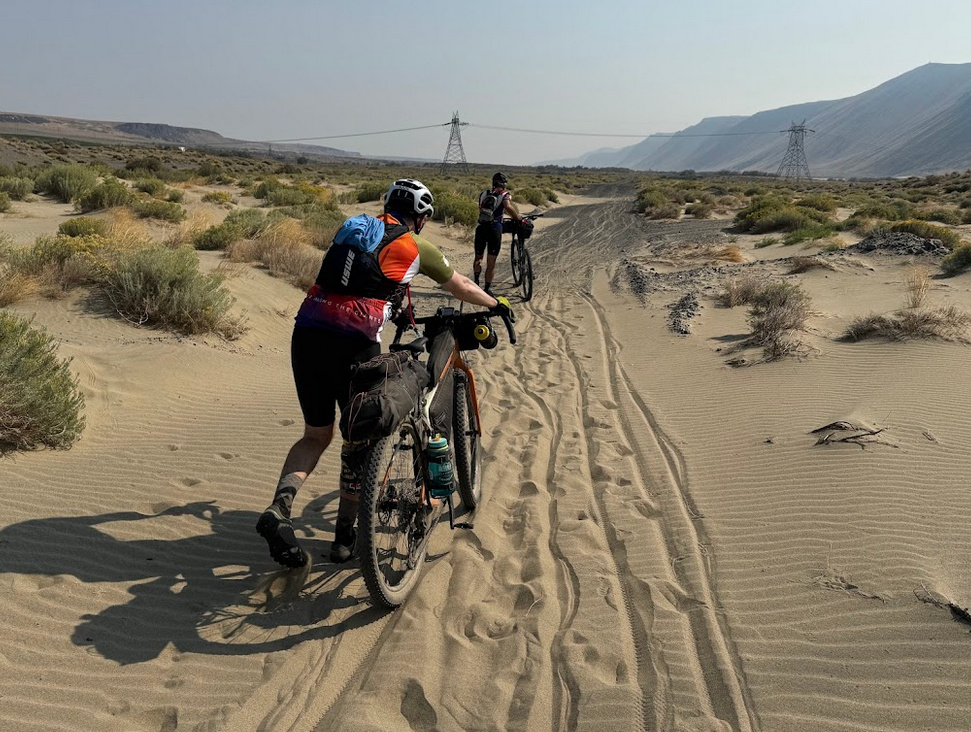
Over the 5 days we rode about 251 miles with 5,240′ of climbing. We rode for 4 of the days and took 1 rest day, averaging 63 miles for each riding day. Trail conditions varied from mostly hard-packed dirt/gravel, some soft loose gravel and sand, and a little pavement (mainly detours).

Equipment & Planning

Including everything we’d need for the next 5 days, each of us packed about 25 lbs. of stuff on our bikes – bags, clothes, chargers, food (when riding the trail), water.

I rode a dual suspension mountain bike with 27.5″ wheels, Brandon rode a gravel bike with 29″ wheels, and Andy rode a vintage mountain bike with 26″ wheels.

We planned to average 10-11 mph and that turned out to be pretty close. The longest days were around 10 hours of total time including stops. The shortest day was about 3.5 hours.

Day 1: Rattlesnake Lake to Ellensburg

76 miles, 1,713′ climb, peak 2,610′, 6:33 in motion, 8:48 total.

We started around 8:45 am from Rattlesnake Lake.

The 18 mile ride up to the Snoqualmie tunnel was a familiar warmup for the day.

By the time we got to Hyak and started down the other side things had warmed up.

This is a long but scenic day with varied geography: mountains, forest, river crossings, foothills changing to the flat plains of Eastern Washington. We stopped briefly in Cle Elum, then as we approached Ellensburg the pavement and buildings were a welcome sight after a long day.

We stayed at Hotel Windrow, which is in the town center with fine bars & restaurants in short walking distance. The staff was great and provided secure storage for our bikes. We had a big tasty meal at Ellensburg Pasta Company.

Day 2: Ellensburg to Othello

75 miles, 2,023′ climb, peak 2,593, 6:58 in motion, 10:30 total.

We got an early start, knowing this would be a long day. There is nothing between Ellensburg and Othello, so unless you are camping along the trail you’ve got to push all the way. It turned out to be the toughest day of the trip. I rode most of this section of the trail 3 years earlier, before my rear axle broke, so I was looking forward to finally completing it.

Trail conditions were a bit worse than 3 years ago, more sandy and rough. Yet still rideable – all of us had decent tires, Continental Cross Kings 2.2 inches wide and we wouldn’t want anything narrower. Like the prior day, the first 18 miles is a gradual climb to 2,600′, then a 17 mile descent to the Columbia River.

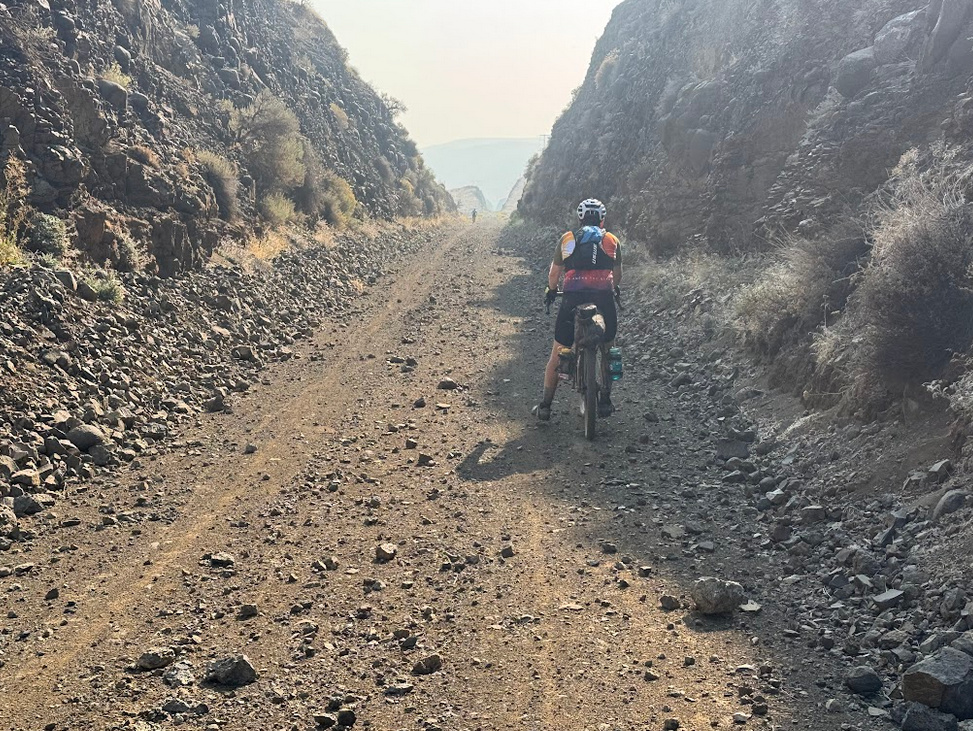
The descent is fast and easy, but the trail has sections with soft sand and others with sharp “baby head” sized rocks that you must weave around. We were having fun yet also dreading climbing back up this the next day. Smoke from nearby forest fires filled the valley and limited the views.

Above, that’s Mike in the distance; his full suspension bike gives a magic carpet ride over the rough stuff.

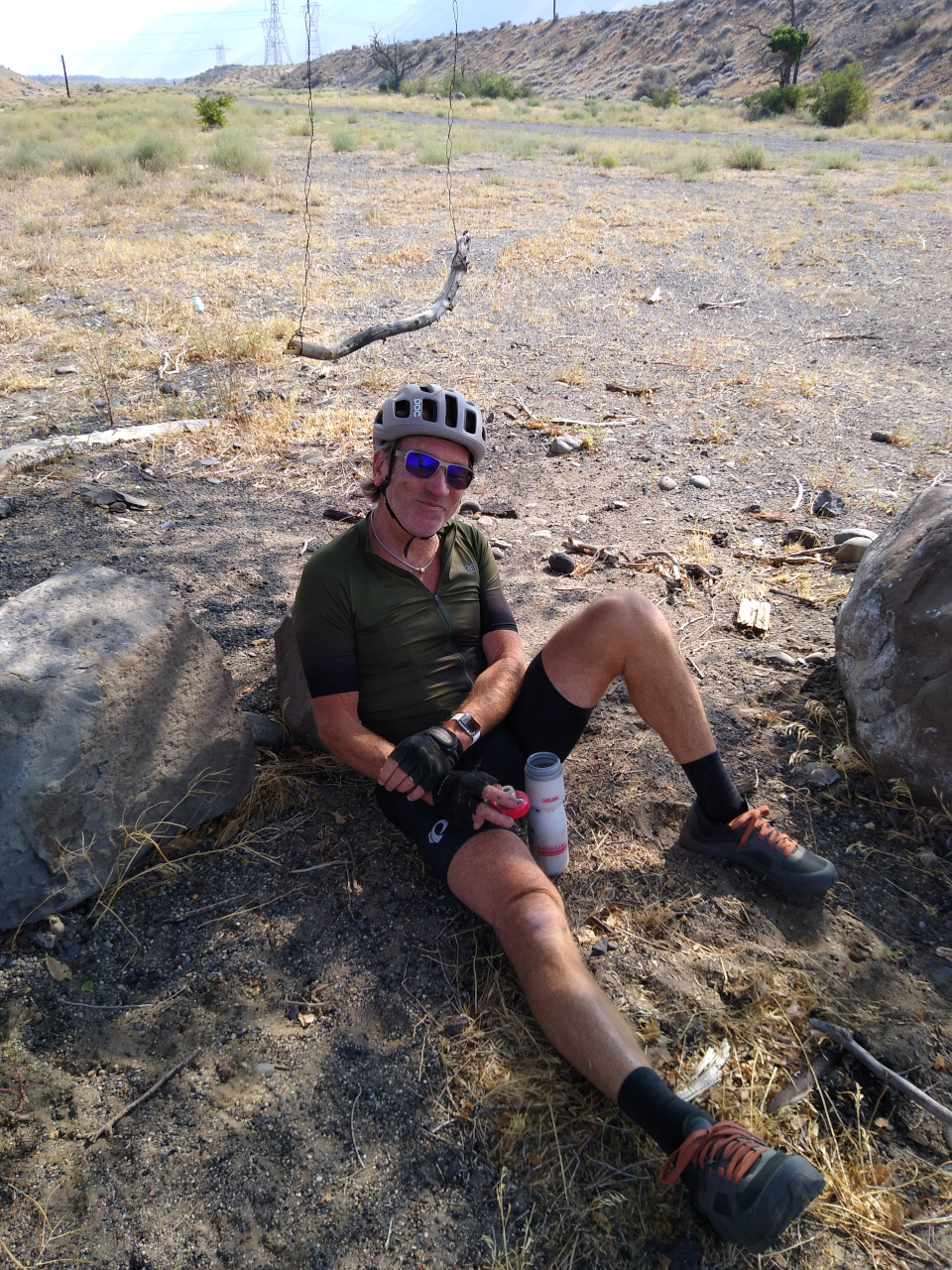
After crossing the Columbia River

we stopped under a tree for lunch and rest.

We had entered the desert-like terrain of central WA and the next 16 miles of the trail is very exposed, mostly hard-packed dirt with occasional sandy and gravel sections.

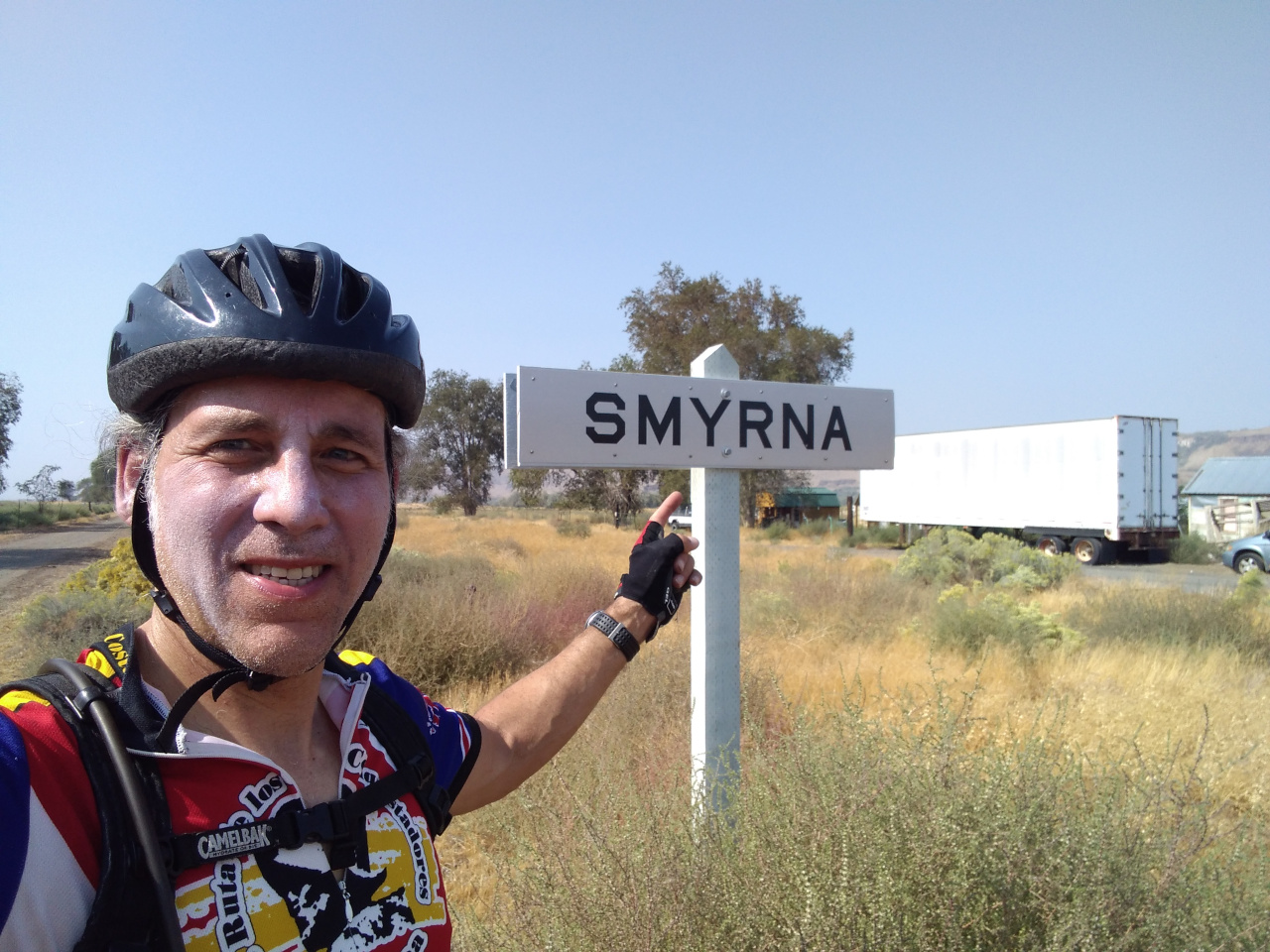
After another 10 miles we passed Smyrna, where my axle broke 3 years ago.

The trail detours on to Crab Creek Road, mostly gravel that was just deep enough to make riding frustratingly slow and inefficient, rolling up and down gentle hills for about 13 miles, where we hit another detour onto Highway 26.

Highway 26 is not a safe place for bicycles. Cars and big trucks zip along at 60+ mph and you never know when an inattentive driver will swerve into you. It was supposed to be less than a mile, then turning back onto other side roads. But we missed that turn and followed 26 all the way to Othello. Despite the conditions, this turned out to be shorter which was great since we were so tired.

These last 10 miles along Hwy 26 were the toughest of the entire trip. We were fatigued from the prior day, and from the past 30 miles on the exposed trail through desert conditions, and 2 full days of breathing air full of road dust and forest fire smoke. And I got a nasty wasp sting on my L shoulder through my jersey, which still itches today as I write this. Approaching Othello, the road climbs about 500′ to a plateau which took the very last wind out of our sails.

We first stopped at a Chevron station having a mini-mart that was ginormously surreal – call it a maxi-mart! We got some sorely needed food & drink, enjoyed the air conditioning and rested for a while. We stayed at the Othello Inn & Suites, which doesn’t look like much but the staff was accommodating and provided secure storage for our bikes. Recommended! We ate a big tasty dinner at Ramiro’s.

We were physically beat and the thought of repeating this long day in reverse was not appealing, especially the 17 mile sandy climb after crossing the Columbia, with a 25 mph headwind which would be nothing but a miserable suffer-fest. Over the evening we planned ways to skip that and get some rest and recovery.

Day 3: Othello to Ellensburg (Rest)

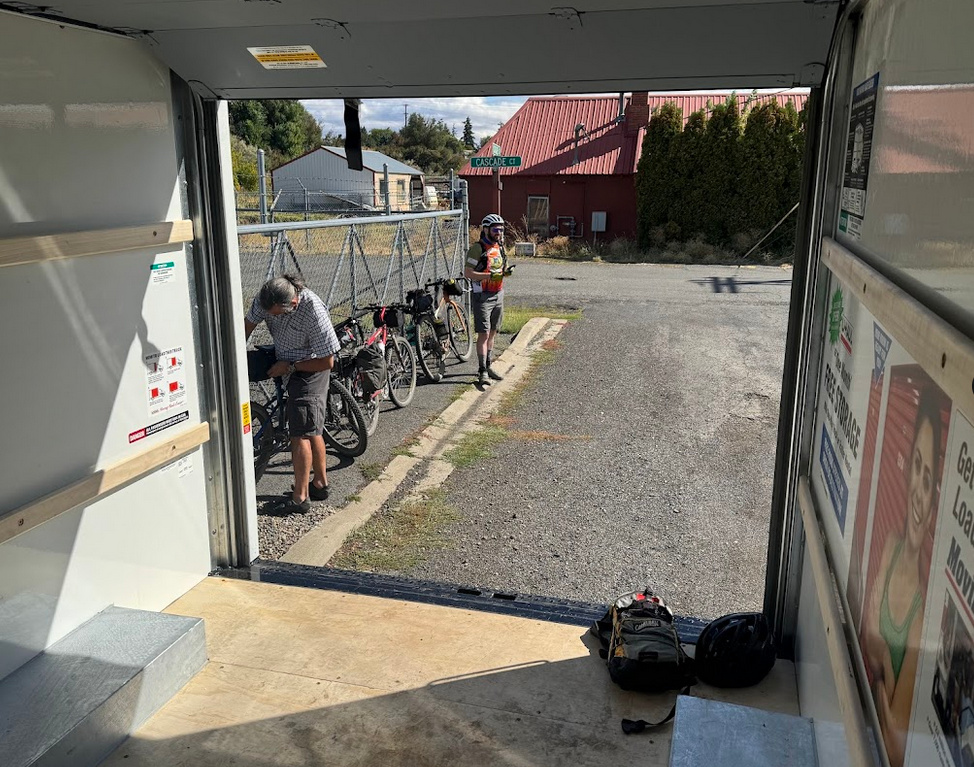
There is no taxi, Uber or Lyft in Othello – at least not on this Sunday. The Uber app said there were drivers, but that was a lie. Nor are any rental trucks available. We hired a taxi who drove up from Pasco to take me to Moses Lake, where I rented a 10′ box truck from Uhaul to drive from Othello to Ellensburg and drop off there. This eliminated a miserable suffer-fest riding day and gave us some earnestly needed recovery while preserving the rest of our ride planning.

We drove to Ellensburg, dropped off the truck

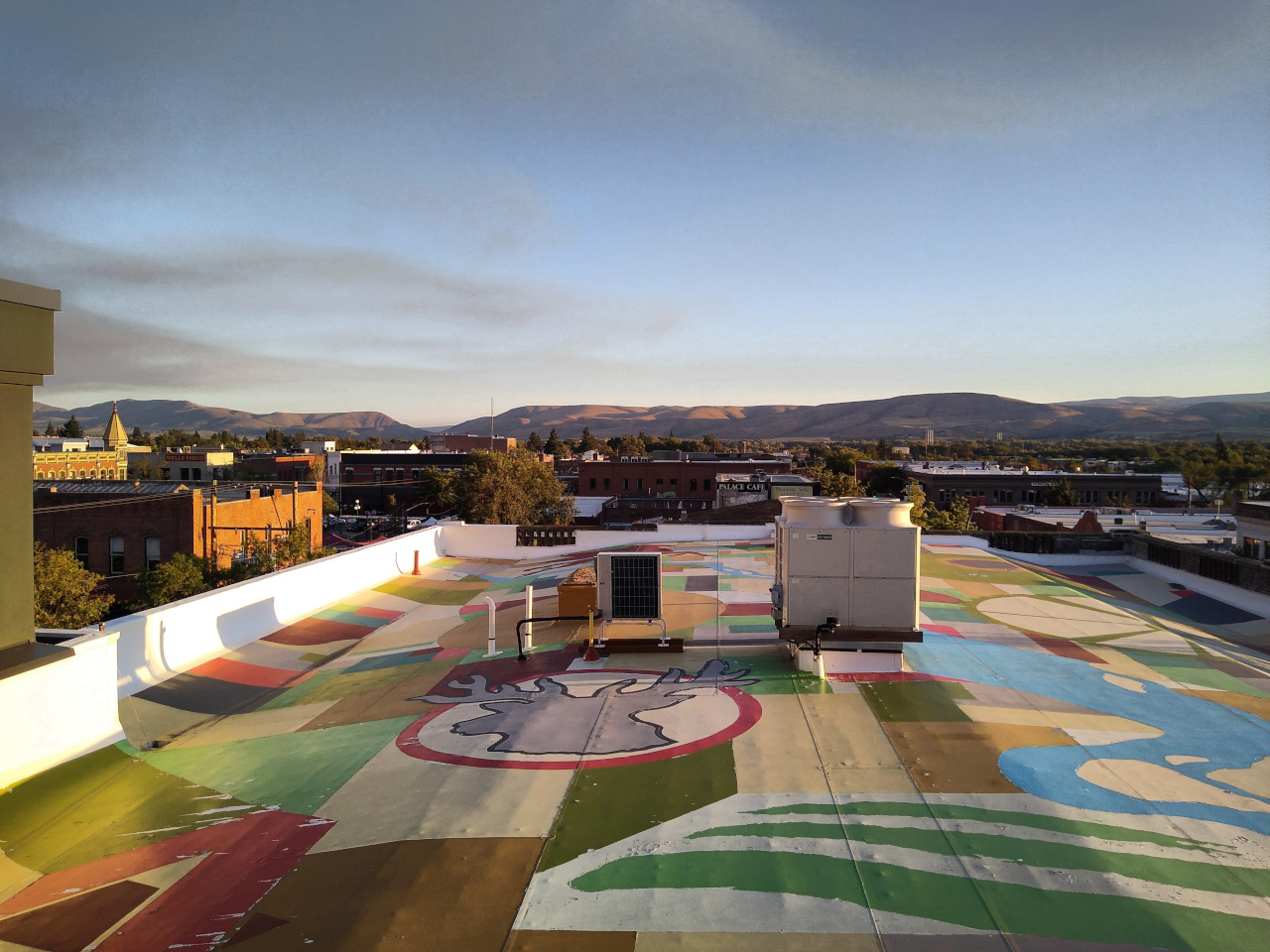
and stayed at Hotel Windrow again in the same exact room. Their roof is a great hang-out spot

and as the wind raged blowing forest fire smoke across the valley

we were happy not to be in the middle of that climbing 17 miles of sandy trail.

We tried to lunch at the Julep, but they were understaffed and service was so slow, we went to the Pearl which was much better. For dinner we hit Cornerstone Italian Kitchen which was pretty good, but not quite as good as the Pasta Company from a couple nights earlier.

Day 4: Ellensburg to Cle Elem

36 miles, 778′ climb, peak 2,260′, 3:03 in motion, 4:24 total.

No need to get up early, this would be a short day since we were riding day 1 in reverse, but splitting it across 2 days. We got a nice local breakfast at the historical Palace and hit the trail with high spirits both physically & mentally after a day of rest. It was cold enough to wear jackets.

Upon reaching Cle Elum

we had our first technical – Andy’s chain wrapped & twisted into a pretzel. It had one bent link that we managed to straighten with a pair of pliers and small crescent wrench. Fortunately, it ran straight and true for the rest of the ride.

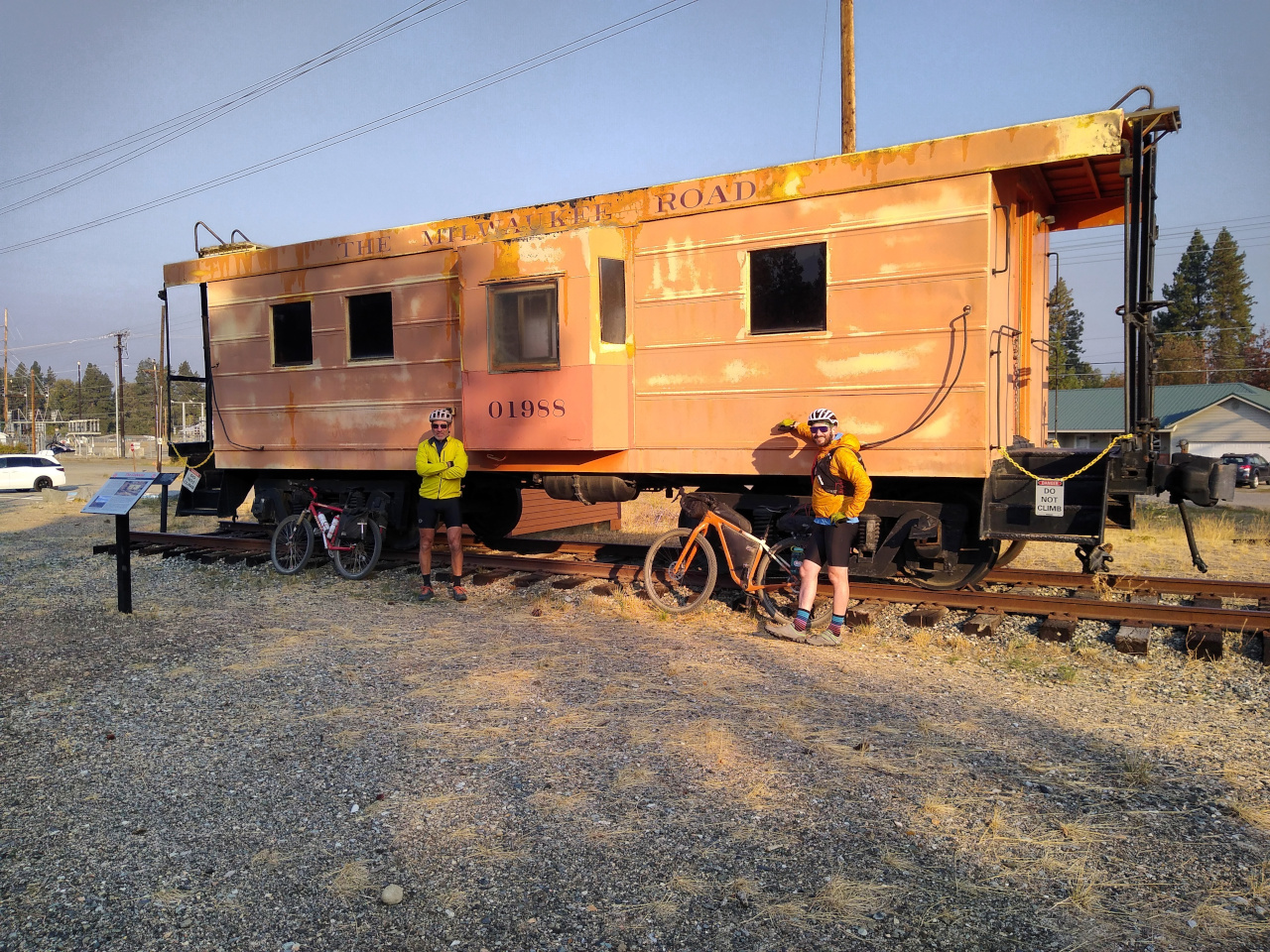
We rode straight to Roslyn and had lunch at Basecamp, where Brandon’s dad Jeff met us. After visiting the Brick Saloon, Ice Cream (I got black licorice ice cream!) and the bike shop, we headed to Jeff’s nearby property

to work on bikes and clean ourselves up. After a tasty dinner at the Roslyn Mexican Grill, we head back to Chez Jeff and crashed for the night.

Day 5: Cle Elum to N Bend

61 miles, 724′ climb, peak 2,580′, 4:19 in motion, 5:21 total.

After a homemade breakfast with Jeff, we head out for the last day. We started day 1 at Rattlesnake Lake but now decided to ride past that into N Bend since the rest was all downhill.

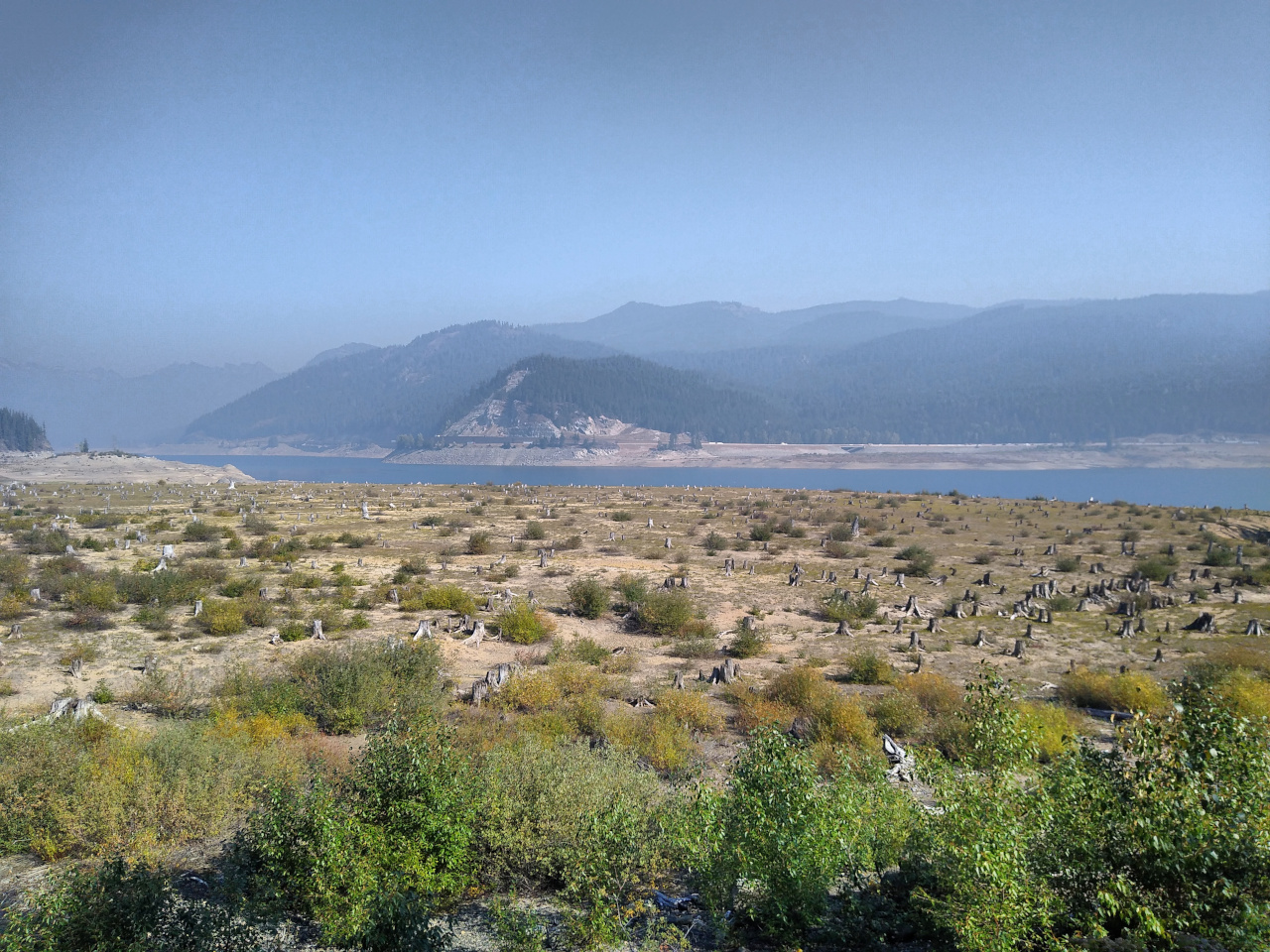
The first 30 miles is a gradual climb to 2,600′. Upon reaching Lake Keechelus (which was very low on water)

we were on familiar territory and rested at Hyak. Through the tunnel, Andy suddenly poured on the coals and Brandon and I made an all-out effort to keep up. It turned out to be more than just a burst of energy, since after the tunnel we sustained the fast pace for the next 18 miles, reaching Rattlesnake Lake in 1 hour.

We continued down the hill on the Snoqualmie Valley Trail to Tanner, then into N Bend to Rio Bravo, where we often lunch after long rides in the area. The ride was complete!

Conclusion

In hindsight, our planning was solid. The best part of the trail is the western half. Riding the eastern half entails bike camping and more complex logistics with little or no benefit in terms of scenery or geography. Various agencies plan to improve the eastern half of the trail. If in future years their efforts end up restoring a continuous trail, it may be worthwhile to go back and ride that section.

Meanwhile, we are considering completing the adventure by riding from the Pacific Ocean to N Bend. This looks much more interesting in terms of scenery and geography, and more feasible with trails and towns.

Overall, it was a fun adventure. Enough of a physical challenge to give a sense of accomplishment without being brutally hard. Changing Day 3 into a rest day was an unexpected twist, but a wise adaptation to the trail conditions and our physical state. Spending 5 days with friends and getting to know each other better through a challenging yet fun adventure as everyone kept up good spirits and camaraderie was priceless.

Etcetera

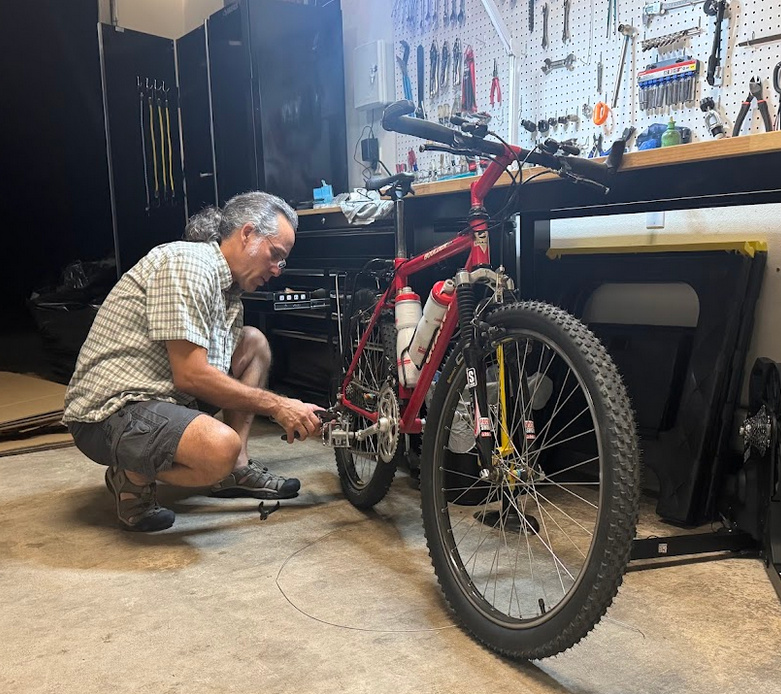
Months before the trip, Mike completed rites of resurrection on Andy’s vintage bike, giving it a complete soup to nuts overhaul. Here he is a week or two before the ride,

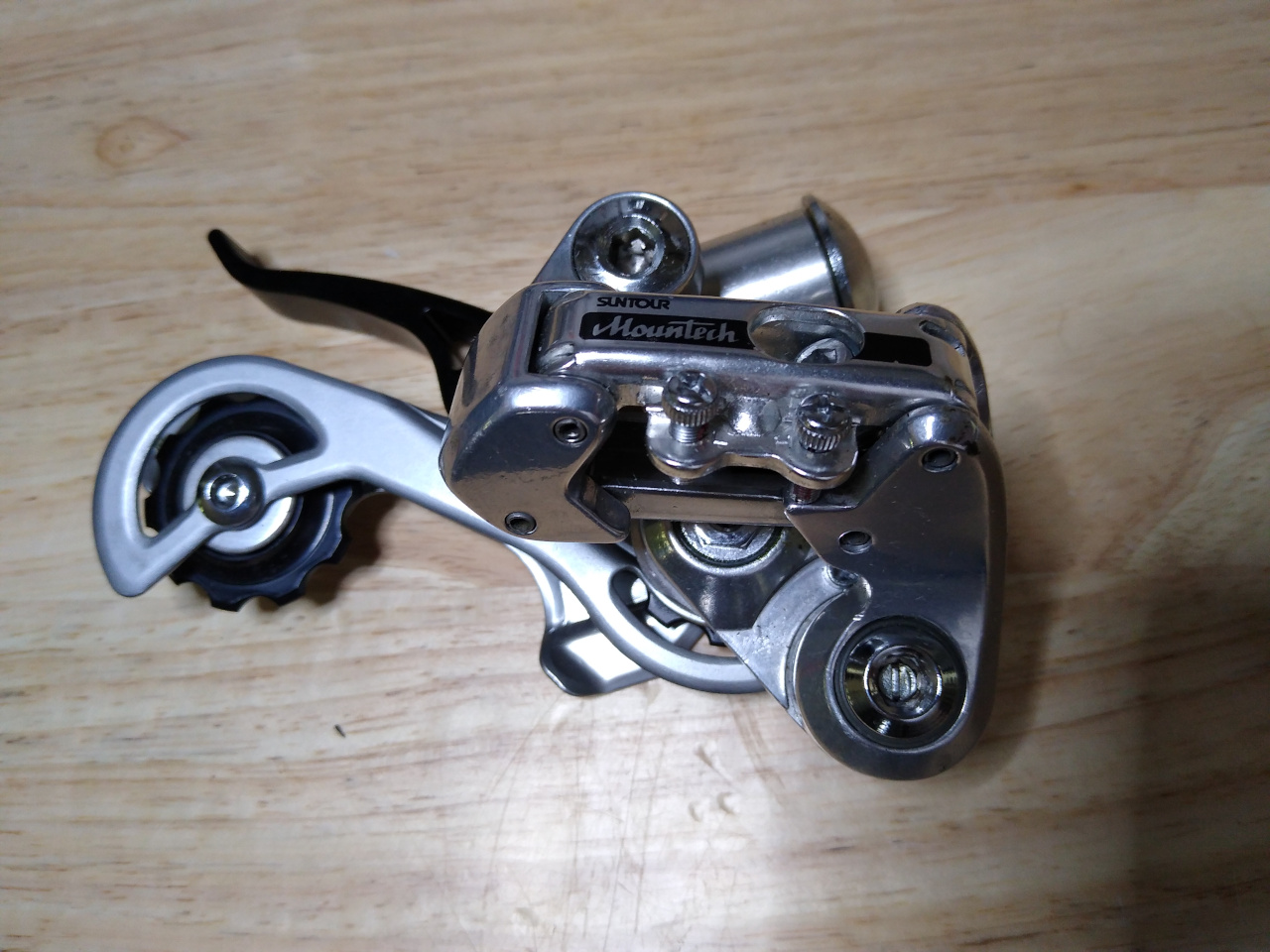
topping off the work with a period correct Suntour Mountech II rear derailleur:

It came from eBay, new old stock, in perfect condition, with no sign of ever having been installed on a bike before. What a beautiful piece of vintage engineering: dual pivots and routing the cable through the inside of the parallelogram. It’s a rare find and a big blast of nostalgia, taking me back 40 years to my days of working in a bike shop.

Mike’s rear wheel bearings ended the ride rough & notchy (despite being cleaned and repacked with Schaeffer’s 221 #2 grease), so after the ride he installed a new set of NSK 6902 bearings, making them butter smooth again. This is the first and only issue he’s had since rebuilding these wheels 3 years ago, and it’s only basic maintenance. What a relief to put into the past all the problems with the original Reynolds hubs!

Ricky is a sweet kitty cat who befriended all the riders, here with Mike on day 4.

We also met some big friendly sheep dogs along the trail.

Windows 11

Windows Rant (Skippable)

I’ve had to use Windows since version 3.0 back in 1990. I’ve never liked it. It’s an unreliable, low performance, insecure buggy “toy” operating system. Even after Windows NT 3.51 which was the first somewhat reliable version (thanks to David Cutler because nobody at Microsoft could have pulled that off), it was still insecure and unreliable.

But plenty of software runs on Windows, so many of us are stuck with it. As Linux has advanced in maturity and popularity I’ve reached the point where it does 99% of what I need. But I still need Windows for a few things, namely running TurboTax, getting library books (Adobe Digital Editions) and printing to CDs and DVDs (Epson).

Windows version 10 to 11

Now that Windows 10 is being decommissioned, the upgrade to Windows 11 should be seamless – but it’s not. Every new version of Windows gets increasingly bloated with worse performance, and Windows 11 also requires TPM and Secure boot. I run Windows 10 in a VirtualBox VM and need to upgrade to version 11. But the Windows upgrader refuses to do this, saying TPM and Secure boot are required. This means starting with a new install on a new VM, losing all my data and apps, or having to move them over from the old VM to the new one.

Windows 11 can run just fine on this VM. There is absolutely no technical reason it can’t upgrade. It refuses due to an arbitrary decision Microsoft made, that everyone needs TPM and Secure Boot. Microsoft is like Apple – they think they know what their users need, better than the users themselves. So Microsoft does not allow users to override these artificial requirements, which adds a level of capricious arrogance to their decision. And leaves millions of users stranded.

Flyoobe to the Rescue!

Flyoobe “FLY-Oh-Bee” is an open source Github project that fixes this problem: https://github.com/builtbybel/Flyoobe

It runs the standard windows installer yet bypasses the unnecessary restrictions & requirements. But wait, there’s more! It also facilitates getting the Windows 11 upgrade files, providing several methods. And it improves the installation and customization, making it easier to remove the junk you don’t want, such as bloat-ware, spy-ware, AI and advertising.

The entire process is self-explanatory and there is plenty of info and reviews from reliable sources. Check it out and Google it.

Cut to the Chase

After the Windows 11 upgrader refused to upgrade my Windows 10 VM, I used Flyoobe to do it. It worked great, in place preserving my apps and data, and also enabled me to customize the Windows 11 to eliminate junk I didn’t want, saving disk space and improving performance.

The only drawback is that the upgrade took over 4 hours to run. This was due to the fact that the upgrade needs 30+ GB of free space that you don’t need after the upgrade is complete. I had to use an external USB stick for this, which slowed the process.

The net result is that I’m finally upgraded to Windows 11. Thanks to Flyobee, not to Microsoft.

Schwalbe Tires: Still Garbage

Back in 2021 I wrote about my terrible experiences with Schwalbe tires and said they were garbage. My intent was to help fellow cyclists avoid the flats, manufacturing defects, expenses and hassles that I encountered. Fast forward a few years to 2025 and I just got a reminder that this is still true.

I resurrected a 1980s mountain bike for a friend and for an upcoming multi-day gravel ride suggested he get a set of Continental Cross King tires. I’ve been using them for a few years and they have been excellent: tough and knobby enough to handle technical downhills (Tiger Mountain), while lighter and faster than common downhill knobbies like the Maxxis Minions. The Cross King is a good XC tire for all-around riding – the best that I have used.

My friend ignored this advice and instead got a set of Schwalbe knobbies based on positive reviews he found on the internet. Over the next 2 weeks he got 4 flats on a mix of pavement & gravel riding, nothing even technical. He brought the bike back to me for other maintenance and the front tire was flat, so call that 5 flats.

Fortunately that big gravel ride is still a couple of weeks away so I put those Schwalbe tires where they belong (the garbage bin) and installed a set of Cross Kings for him.

Friends don’t let friends buy Schwalbe tires – ‘Nuff said!